Feature release: The Beat Board
Most stories get worked out on index cards before anyone writes FADE IN. Until now you had to do that somewhere else. The Beat Board puts the cards next to the script: open any project and you will find it under Tools in the left sidebar, above Visual Arc.
Cards and arrows
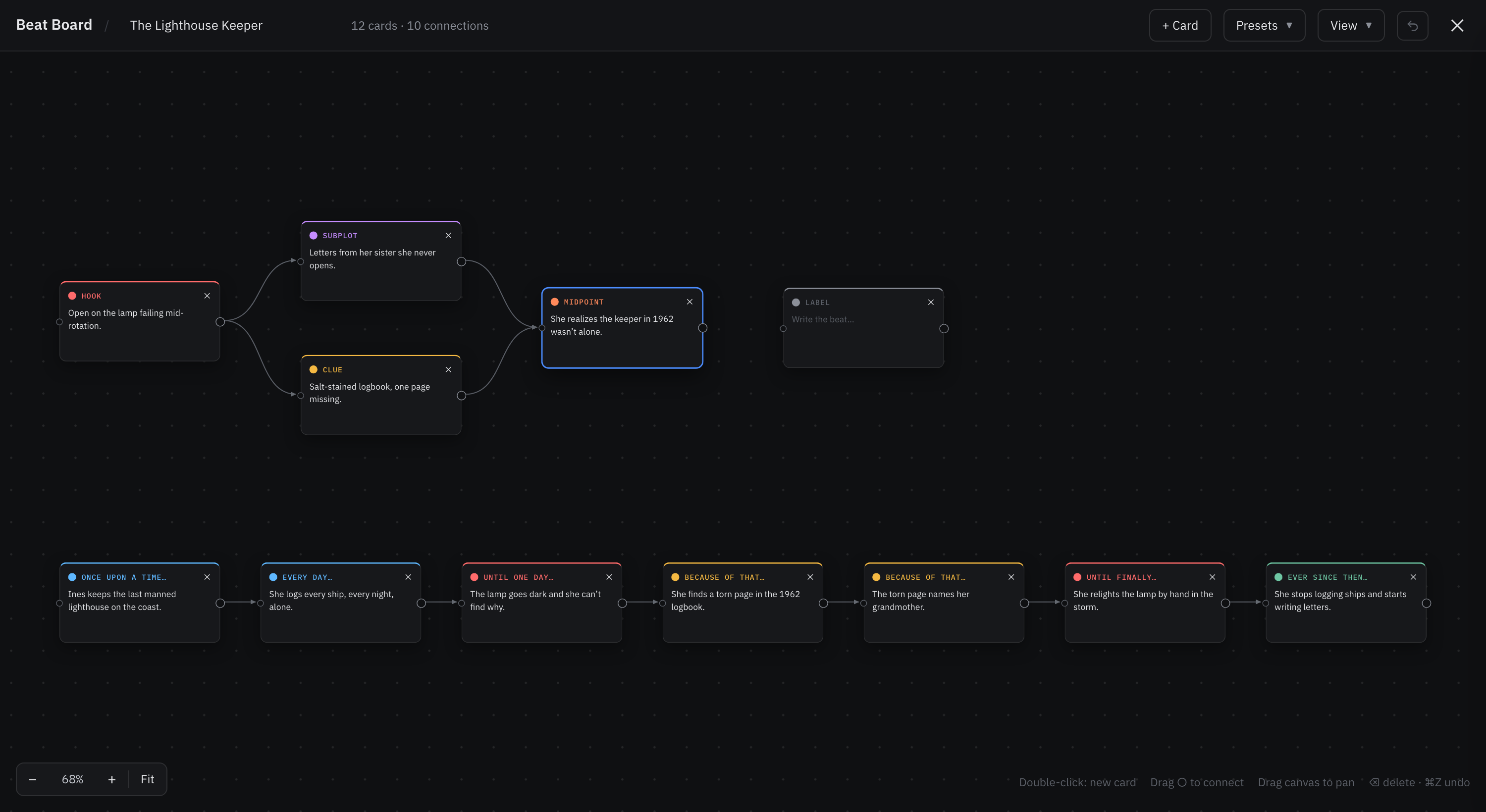
Double-click anywhere to add a card. Give it a short label, write the beat underneath, and pick one of seven colors so acts, turning points or a B story read at a glance. Drag cards wherever you want them; they snap to a grid so rows line up without effort.
To connect two cards, drag from the small circle on a card's right edge and let go over another card. A card can have as many arrows in and out as you like, so a subplot can branch off the main line and meet it again three beats later. That is the part a corkboard never did well.
Six structures to start from
If a blank wall is the problem, open Presets. Story Spine, Three-Act Structure, Hero's Journey, Save the Cat, Freytag's Pyramid and Kishōtenketsu each arrive as a chain of connected, color-coded cards, and each empty card tells you what that beat is for. They are added below whatever is already on the board, so you can lay two side by side and see which one your story actually wants.
Not sure which to pick? Our guide to narrative structures covers what each one is good for.
Saved as you go, shared with your co-writers
The board saves as you work, like the script does. Without an account it stays in your browser. With one, it follows the project to every device, and anyone you have invited to the project sees the same board and watches it change as you work. If two of you edit at once, both sets of changes are kept.
The board never touches your pages, so you can pull a structure apart and try another without risking a word of the script. Everything else, from zooming to keyboard shortcuts, is in Using the Beat Board.