Feature release: Reimagining the Visual Arc
The Visual Arc started as a corkboard. You could drag cards anywhere, and where you put them meant nothing. The board held no information about the shape of your story that you hadn't already put there yourself.
It is now two views, and in both of them position carries meaning.
The Arc
Scenes sit in document order from left to right. The vertical axis is dramatic tension, and you set it by dragging a scene up or down. The curve through those points is the arc.
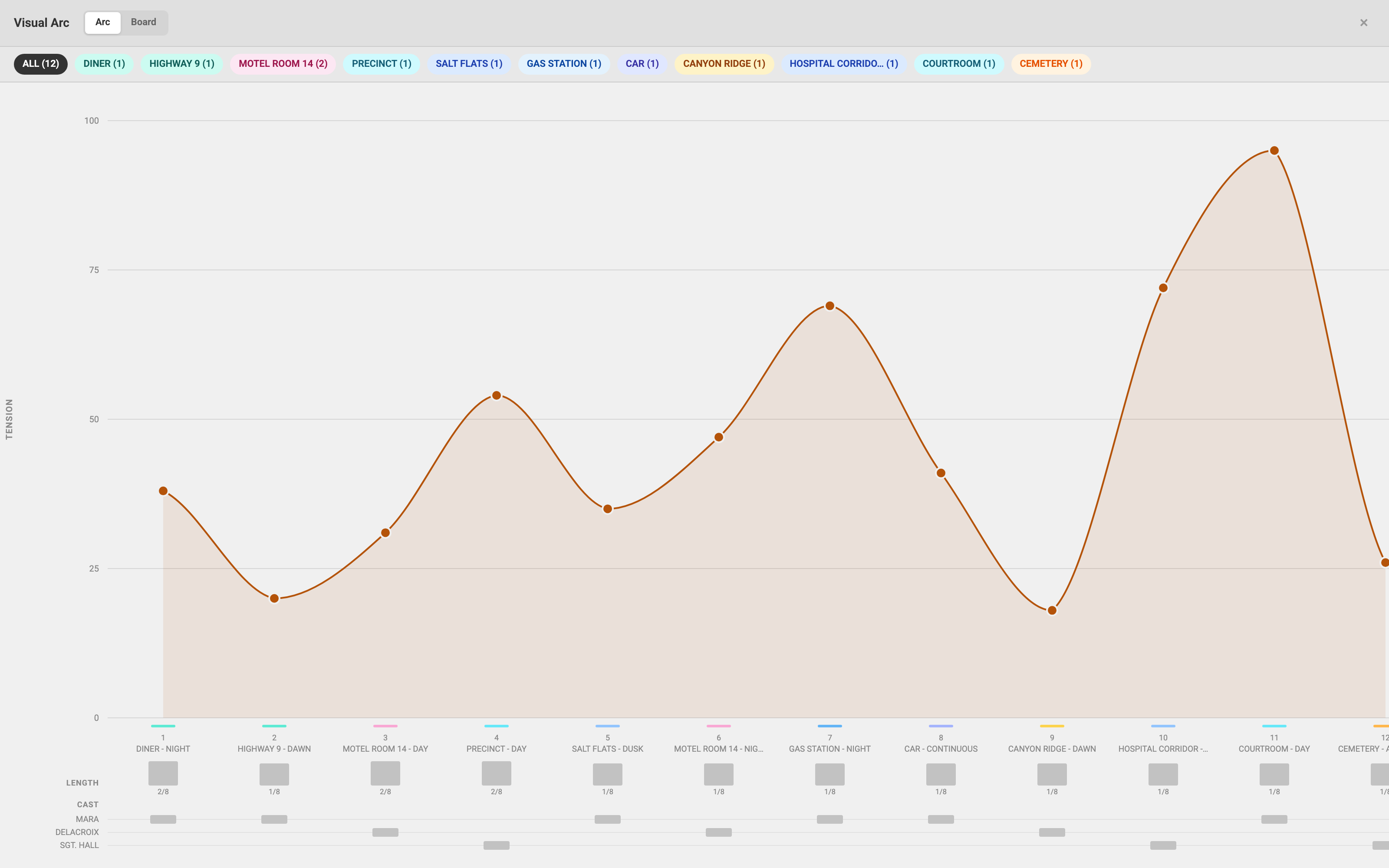
Underneath the curve are two lanes that you never have to fill in, because they are read straight from the script:
- Length, how long each scene runs, in eighths of a page. Pacing becomes something you can see rather than something you have to remember.
- Cast, one row per speaking character, with a mark in every scene they appear in. This is the one that tends to surprise people: it makes it obvious when a character drops out of the script for thirty pages.
The Board
The board groups your scenes into sequences and gives each one a column. Nothing about that is authored: a sequence is a run of consecutive scenes in the same place, and you already said where the story moves when you wrote the sluglines. Long stretches get split at their sharpest change in tension, and a lone scene between two runs is folded into the smaller of them, so no column holds a single card.
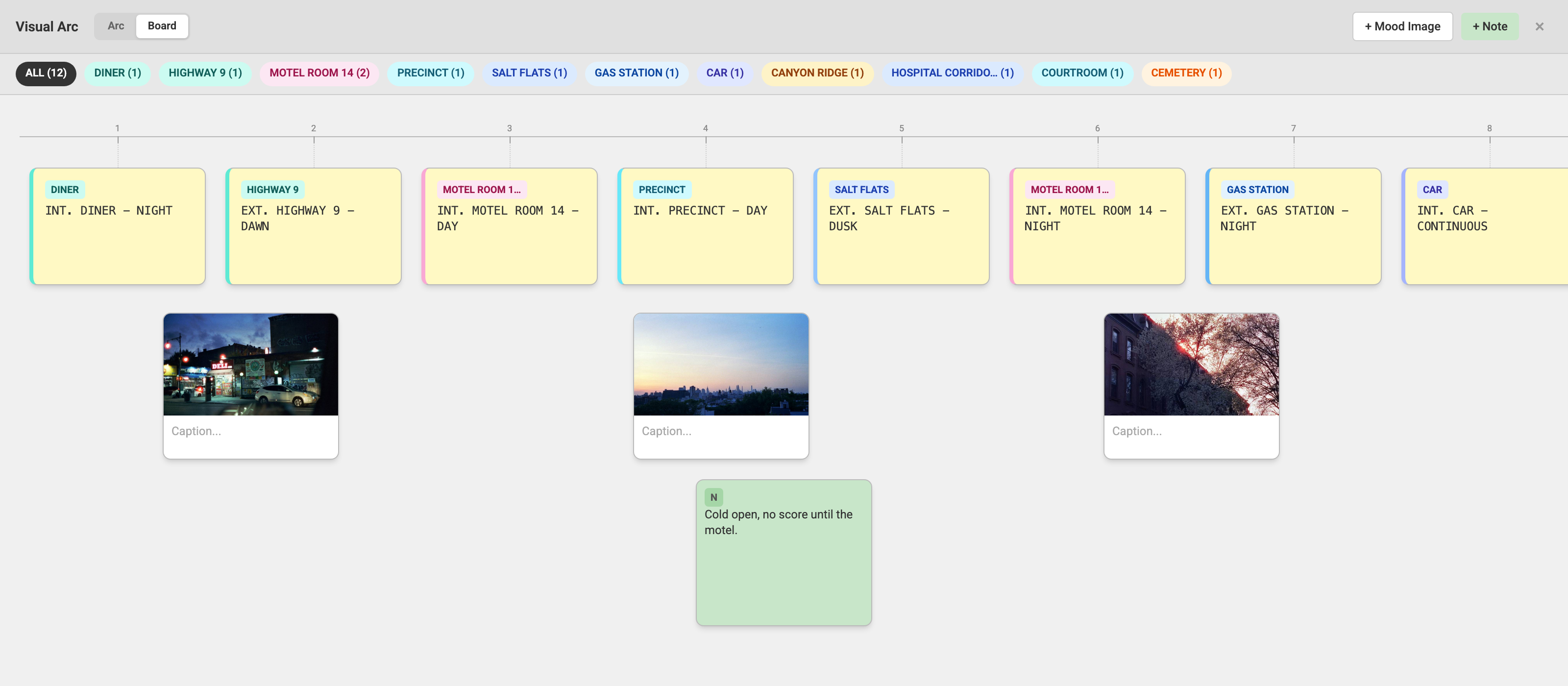
The cards carry the scene now. A slugline, a synopsis, how long the scene runs, how tense you scored it, and who is in it. The synopsis starts as your first line of action and you can click it to write your own.
Columns name themselves, and you can rename any of them by clicking the name. A renamed column keeps its name; the grouping underneath it still re-derives as you write. The one step of colour between a name we picked and a name you picked is the whole signal.
Scene cards do not move. Their order comes from the script, so dragging one would quietly rewrite it. What does move is everything you add: notes, ideas, and reference images, dragged between columns or parked in the Unplaced rail for the things that have no scene to belong to yet.
Open it from Visual Arc in the left sidebar. It opens on the Board, and the Arc is one click away.