Feature release: A new Shot List
The old shot list was a table you could fill in and not much else. We spent the last three months rebuilding it, and it shipped this week. We are proud of this one.
The idea is the same as before: your script's scene headings become the scenes on the list, and you build the shots under each one, next to the pages they were planned from. What changed is everything around that.
The workspace
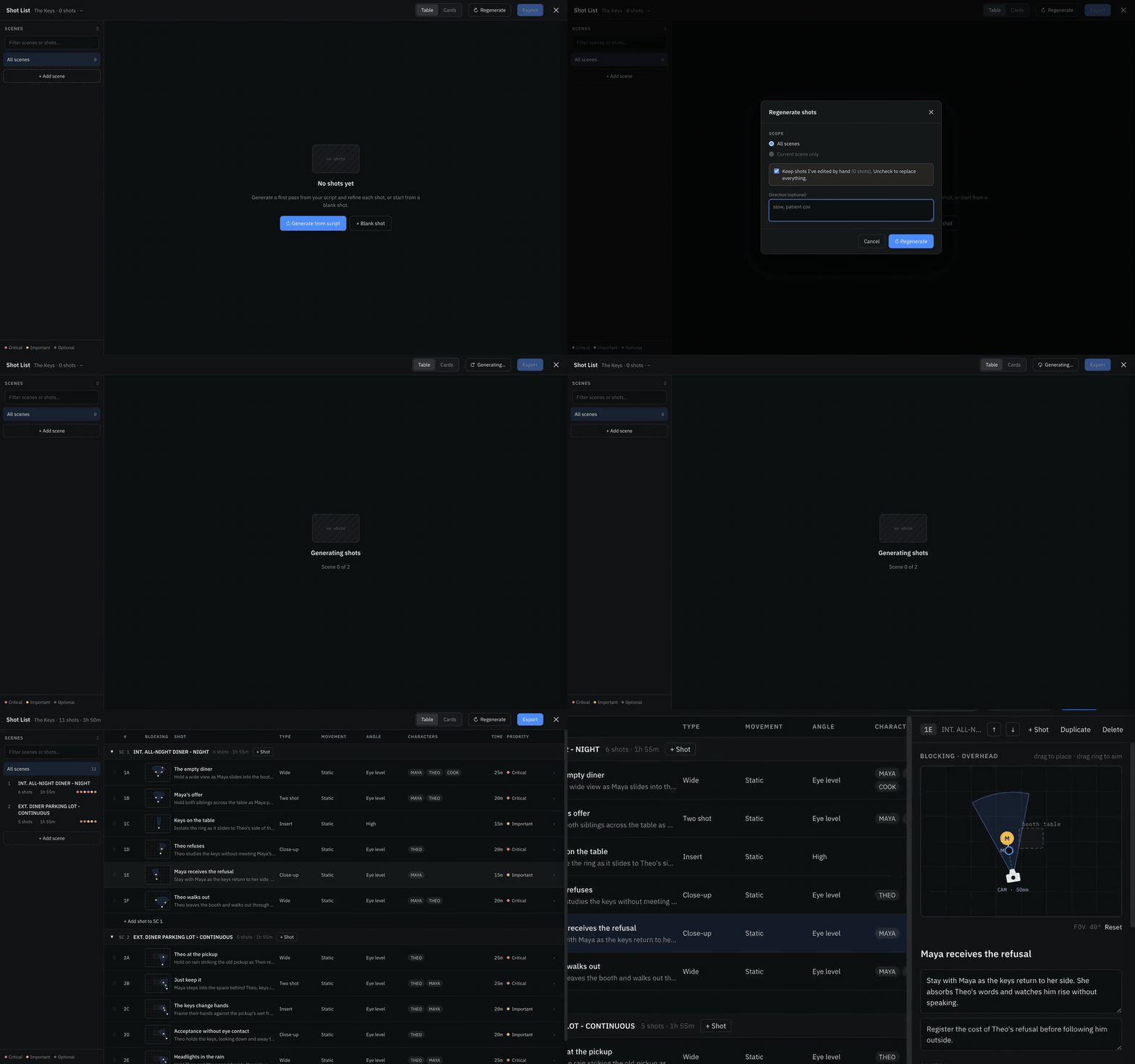
Three columns. Scenes on the left, with a shot count, total shooting time and one dot per shot in its priority colour. Shots in the middle, as a table or as cards. Every shot has a code (1A, 1B), a blocking thumbnail, and its type, movement, angle, characters and time. Rows drag to reorder, within a scene or into another one. Select a shot and the detail panel opens on the right with every field, grouped into Camera, Production and Notes.
A new list starts one of two ways. + Blank shot sets up a scene for every heading and gives you one empty shot to begin from. Generate from script drafts a first pass for every scene from your pages and character biographies, and you can give it a direction first, like "more handheld, fewer inserts". The draft fills in scene by scene and is meant to be argued with: keep what works, rewrite what does not, delete the rest.
Blocking
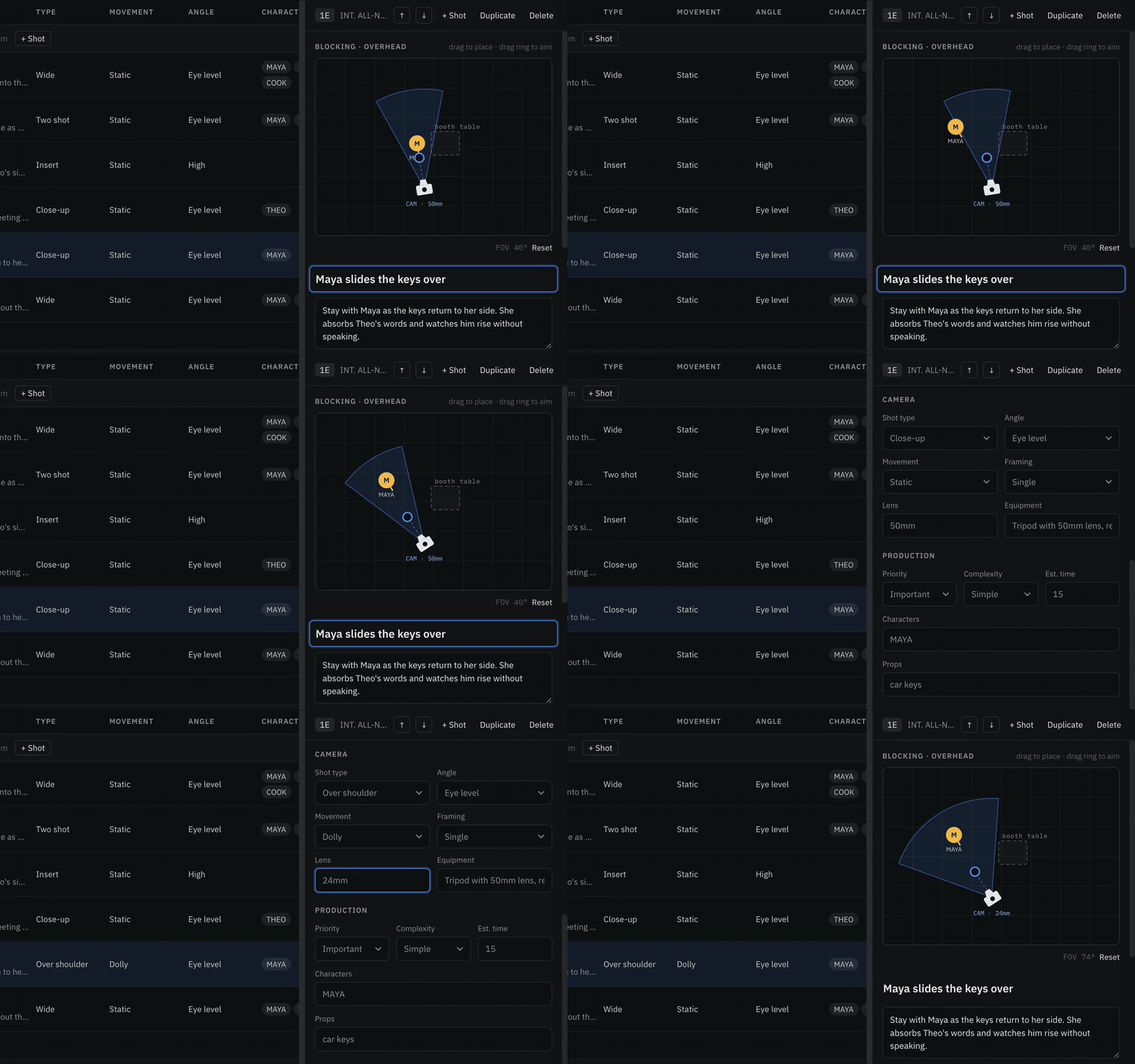
This is the part we are happiest with. Every shot has an overhead plan of the set: the camera, the lens's field of view as a wedge (a 24mm is wide, an 85mm is narrow), each character as a disc with a tick pointing at the camera, and an optional set piece such as a desk or a car.
In the detail panel you can drag the camera or a character to move them, and drag the ring on the camera's aim line to turn it. Characters named on the shot but not yet placed sit under the diagram as chips you can add. Reset puts everything back to the automatic layout. The thumbnail in the table and the diagram in the PDF are the same plan, so what you sketch is what the crew sees.
Live with your crew
The shot list now syncs the way the script does. Your DP can be changing lenses while your AD sorts priorities, and each edit shows up on the other screen within a moment. Different shots, or different fields of the same shot, never overwrite each other. Every change saves as you make it. There is no save button.
Describing a change
Sometimes it is quicker to say what you want than to change five fields. At the bottom of the detail panel, describe the change or pick a quick prompt such as "Make it handheld", and press Apply. Only what you asked about changes. The rest of the shot stays as you had it, including where you placed people.
Export
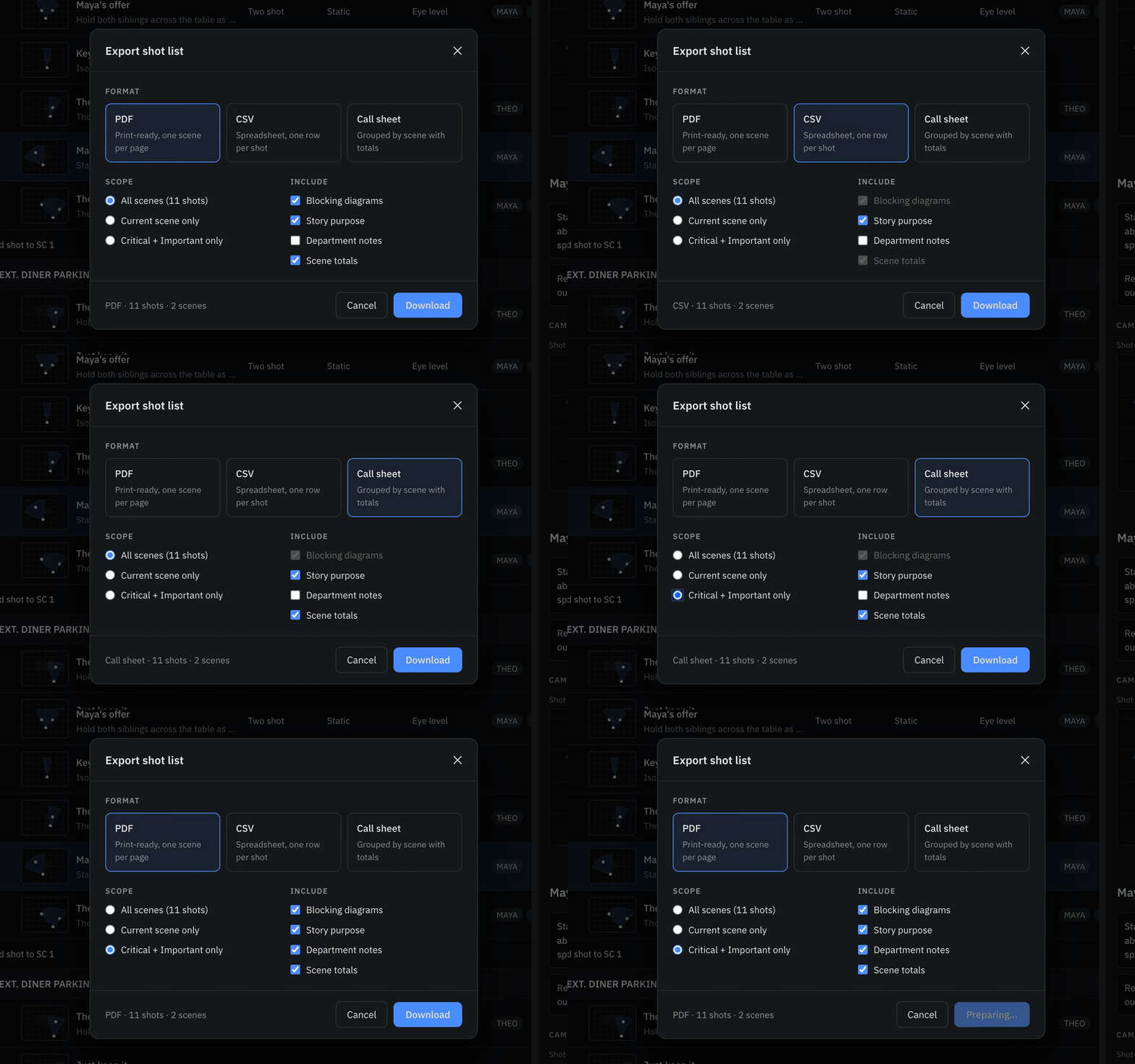
Three formats. A PDF with one scene per page and the blocking plan next to each shot. A CSV for the spreadsheet your production already runs on. And a new call sheet. Any of them can cover all scenes, the current scene, or only the Critical and Important shots, and blocking, purpose, notes and totals are each optional.
Everything on the list also travels in your .ensemble file, so a script exported and imported somewhere else brings its shot list along.
Open it from Shot List (the camera icon) in the left sidebar. A free account gets the first five shots of every list, and Pro removes the cap. The full guide is at Using the Shot List, and if you have never built one before, start with the worked example.